EMAIL, PHONE AND IP VALIDATION

Validate your data.
Spend more time selling.

With ByeBouncer, check whether an email can receive messages, review a phone number’s format and carrier, and look up an IP’s network. Use the dashboard, email lists or the API.

Create a free accountSee an example

No card required. Includes up to 30 credits for phone checks.

Demo of email and phone validation in FlowDesk
Contact data validationEmail, phone and IPResults for each fieldYou decide how to use the informationEmail lists by CSVAPI integrationOptional mobile network lookupPurchased credits do not expire
THREE FIELDS. THREE SEPARATE CHECKS.

What you can check with ByeBouncer

Choose the field you need to review. Get clear information to prepare your email campaigns, calls and signups.

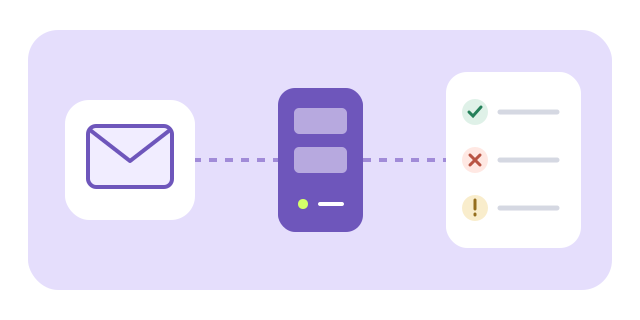
An email address passes through format, domain and mail server response checks.

Email verification

Check the format, the domain’s mail servers and the mailbox response when the server allows it.

What you send
One email address or a list of emails.
What you get
  • Addresses accepted or rejected by the server
  • Disposable email domains and common typos
  • Undetermined results with an explanation

No emails sent. Server acceptance does not guarantee that a message will arrive or be read.

See how it works: Email verification
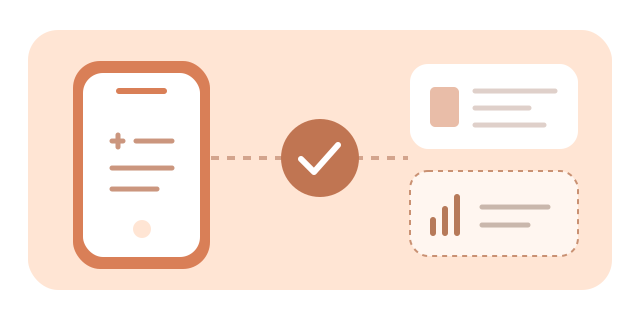
A phone number is organized into international format, carrier and an optional mobile lookup.

Phone number validation

Check international format, line type and carrier. Add a mobile network lookup only when you need it.

What you send
A phone number and its country when needed.
What you get
  • A consistent phone number format for your systems
  • Carrier and line type when information is available
  • Mobile network status through a separate optional lookup

No calls or messages sent. A valid format and carrier do not prove someone will answer.

See how it works: Phone number validation
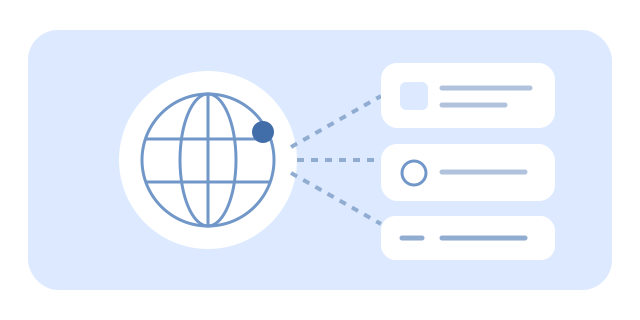
An IP address connects to network information, approximate location and catalog checks.

IP address lookup

Learn about the connection’s network and matches in available reputation sources and catalogs.

What you send
An IP address available to your form or system.
What you get
  • The network and provider associated with the address
  • Network country or approximate location, depending on the source
  • Tor and other catalog matches with their coverage

An IP adds connection context. It does not identify the person or prove fraud.

See how it works: IP address lookup
ILLUSTRATIVE EXAMPLE

A result for each field.

See what was checked and what remains undetermined. You decide how to use it.

EXAMPLE INPUT
Emailpersona@empresa.example
Phone+34 612 345 678
IP192.0.2.1
Try validation
Phone
Format and carrier information
Mobile networkNot requested in this example
IP
Address classification
192.0.2.1 scopeReserved for documentation
YOU DECIDE

Information for each check

Validation does not establish identity or ownership. This example uses illustrative data.

Result and reason for each field
Unrequested checks are explicit
No overall decision about the contact

Illustrative presentation, not a live check. Server acceptance does not guarantee message delivery or a read.

CHOOSE WHAT YOU NEED TO CHECK

A tool for each field.
One balance for all.

Check a field in the dashboard, upload email lists, or connect validation to your forms and systems.

Understand the network behind an IP

Look up network, provider, available location and matches in reputation sources. Get separate findings to apply your own criteria.

Explore IP verification
1 credit per public IP

Email, phone and IP in your workflow

Send the available fields in one request and get a separate result for each. Your team decides how to use them in your CRM or form.

Explore combined validation
Pay only for channels sent

One balance for every type of check

Use the same credits for email, phone and IP checks. Set limits for teams or campaigns and keep unused balance.

See credit packs
How it works

From your data to results you can use.

Start in the dashboard and connect the API when you need automation.

01

Choose what to check

Enter an email, phone number or IP. Upload a CSV to check a list of emails.

02

Review the findings

Get results for each field and an explanation when a check is inconclusive.

03

Use the results your way

Download the results or bring them into your system to correct records and prepare your next contact.

See how to integrate verification
Use cases

Verification for every lead source.

Connect the analysis where you receive your contacts.

Web

Forms and registrations

Check submissions from landing pages, contact requests and registrations before starting follow-up.

Ads

Leads from acquisition campaigns

Analyze contacts acquired through Meta Ads or Google Ads from the system that receives them. Include the IP when available.

CRM

Review before sales assignment

Bring each field’s results into your CRM through the API and apply your own rules.

Lists

Existing contact databases

You can also upload lists of up to 5,000 email addresses per job to find issues before reaching out again.

Estimate your cost

Calculate the cost of verifying your leads.

Choose how many emails, phones and IPs to check. Mobile availability is optional.

1 credits each
1 credits each
1 credits each
3 credits each
6 credits each
Email 62% IP 12% Phone 26%
* Credits never expire. Any unused balance rolls over indefinitely in your shared account wallet.
Estimated monthly credits
8,100
Recommended credit packs
Pack S
10,000 credits · $45.00 USD
Start with 500 free credits
Transparent Pay-As-You-Go Pricing

Pay as you go. Credits never expire.

Use one balance for email, phone and IP validation. Each service shows its cost.

Pack XS
$10USD
2,000 credits · $0.0050 / credit
  • Email, phone number and IP verification
  • One shared balance for your team
  • Credits never expire
Select Pack XS
Most Popular
Pack S
$45USD
10,000 credits · $0.0045 / credit
  • Email, phone number and IP verification
  • One shared balance for your team
  • Credits never expire
Select Pack S
Pack M
$105USD
25,000 credits · $0.0042 / credit
  • Email, phone number and IP verification
  • One shared balance for your team
  • Credits never expire
Select Pack M
Pack L
$200USD
50,000 credits · $0.0040 / credit
  • Email, phone number and IP verification
  • One shared balance for your team
  • Credits never expire
Select Pack L
Pack XL
$380USD
100,000 credits · $0.0038 / credit
  • Email, phone number and IP verification
  • One shared balance for your team
  • Credits never expire
Select Pack XL
Pack XXL
$700USD
200,000 credits · $0.0035 / credit
  • Email, phone number and IP verification
  • One shared balance for your team
  • Credits never expire
Select Pack XXL

Every pack includes the verification tools and email list cleaning. All prices are in US dollars.

FAQ

Data validation: frequently asked questions.

Understand what we check and how to read your results.

What does ByeBouncer validate?+

Check emails, phone numbers and IPs with separate results. Review one field in the dashboard, combine fields through the API, or upload lists of up to 5,000 emails per job.

Does a favorable result confirm identity?+

No. Validation describes the checked data; it does not establish identity, ownership or commercial intent.

What does an undetermined result mean?+

There was not enough evidence to conclude. This can result from catch-all domains, no response or an unavailable lookup. It does not automatically mean the data is invalid.

Do you check whether a phone is connected?+

Carrier lookup does not establish connectivity. You can separately request mobile network status when available; it has an additional cost and shows when it was observed.

Can I integrate validation with my systems?+

Yes, through the API. See the documentation for the fields, states, limits and credits for each service.

Do I need to write code to use it?+

Not for dashboard checks or email lists. To check data automatically from your forms, CRM or other systems, your team can connect the API.

Validate your data.
Spend more time selling.

Check email, phone and IP details from your dashboard. Upload an email list or connect the API to your system. You decide how to use each result.